The best layout for custom calendars depends on the format: wall calendars carry your brand on the cover and a footer on every month, desk calendars use a discreet footer, pocket calendars put your details on the back, and magnetic boards and aluminum desk calendars take a one-color logo in a small imprint area. Get Custom Calendars returns a free layout mockup within 24 hours.
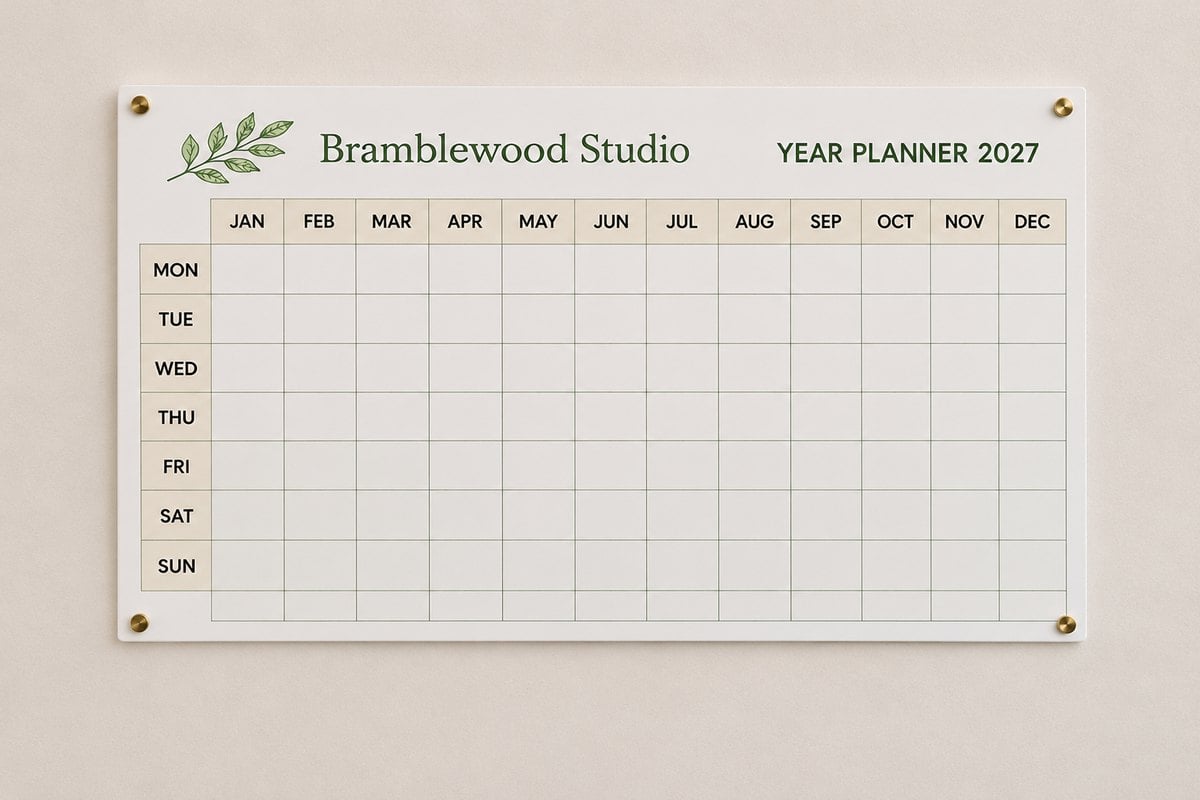
- Layout rules differ by format: cover and monthly footer, desk footer, pocket back face, or a one-color imprint area
- Magnetic boards and aluminum easel desk calendars are screen printed in one color
- Date grids are set to your chosen week start, with your key dates pre-marked
- Free vector redraw from a photo or PDF of your logo, and a free mockup within 24 hours
- Minimum is 12 on wall, desk, pocket, photo and planner pages; 100 on magnetic boards and easel desk calendars
Why does calendar layout matter more than the logo file itself?
Calendar layout matters more than the logo file because a calendar is used for a full year, and every element competes with the date grid people actually look at. A clear logo in the wrong spot gets covered by notes, cut off by a hook, or ignored after January. Get Custom Calendars plans each layout around how the format is used, then shows it in a free mockup.
A clean logo file is still the starting point, but the team offers a free vector redraw from a photo or PDF, so a weak file rarely holds an order back. The harder decisions are about content: what goes on the cover, what repeats every month, which dates to pre-mark, and where your phone number or website sits so it is visible on the day someone needs it.
This guide walks through those decisions format by format. Use it to brief your quote request, so the first mockup is close to final and revisions are about polish rather than structure.
Where should the logo and contact details go on a custom wall calendar?
On a custom wall calendar, the logo belongs on the cover and in a consistent footer or header strip on every monthly page, with contact details in that same strip. Wall calendars from Get Custom Calendars come with a cover plus twelve months, so the cover introduces the brand once and the monthly strip keeps it in view all year.
Keep the strip short: logo, one phone number, a website and perhaps a single line of tagline. Anything longer crowds the grid. The image area above the grid can carry photography, illustration or brand graphics, with images printed to the edge using bleed.
- Cover: logo, the year, and a cover image or brand graphic.
- Monthly strip: logo, phone, website, kept in the same position each month.
- Grid: set to your preferred week start, with key dates and a notes column where needed.
- Top edge: keep text clear of the binding and hanging hook area.
Wire-o binding with a hook lets the calendar hang open cleanly, which is worth knowing if your design runs across the fold.
How should a desk calendar layout differ from a wall calendar?
A desk calendar layout should be quieter than a wall calendar, because a desk calendar is glanced at from close range many times a day. Get Custom Calendars specifies a discreet footer on every desk calendar page for branding, so the grid stays legible and the logo is present without dominating the page.
Desk calendars come as tent, easel back or flip formats, with month, week-to-view or day-per-page grids. That choice changes the artwork plan. A month-to-view tent calendar has room for a small image per page; a day-per-page flip calendar is mostly grid, so the footer does all the branding work.
The aluminum easel desk calendar is a different product: a perpetual calendar that is set to the date and stays on the desk year after year. Your logo is screen printed in one color in a small central area, which suits a logo mark, monogram or initials rather than a full lockup with a slogan. Send a one-color version of your logo for that format, or let the design team simplify it in the free redraw.
What goes on each side of a custom pocket calendar?
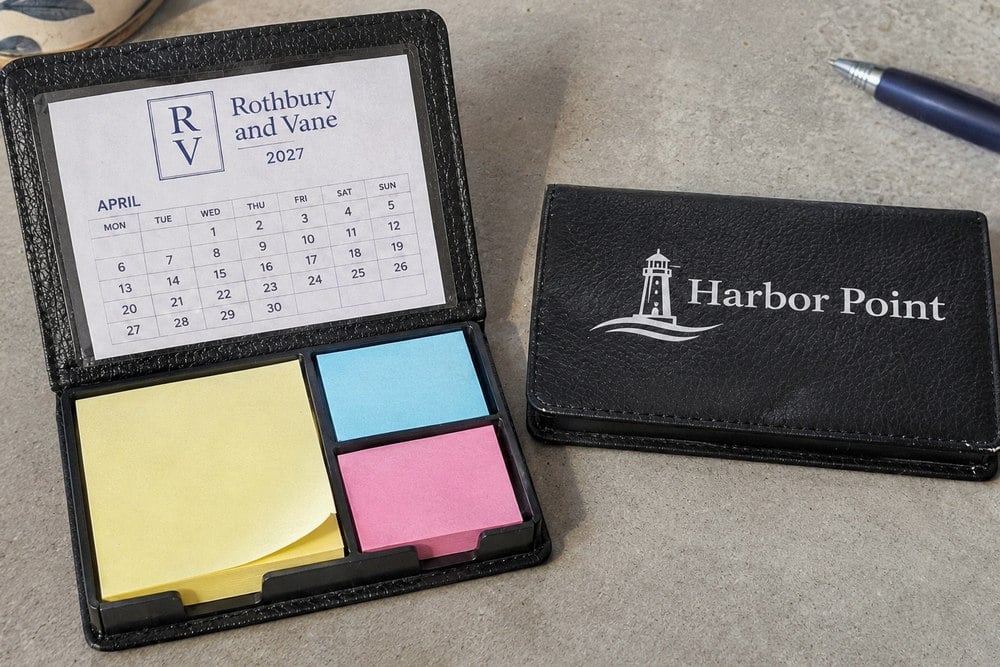
A custom pocket calendar from Get Custom Calendars is printed in full color on both faces, so the usual layout is year-to-view on one side and your brand and contact details on the other. Pocket calendars can show one year or two years, which affects how much grid space is left on the calendar side.
The brand side works like a business card that stays in a wallet all year. Lead with the logo, then the single most useful action: a phone number, a booking link, a QR code or store hours. Pocket calendars use laminated card with gloss, matte or soft-touch options, and square or rounded corners, so finish choices can support the design too.
- Decide one year or two years on the grid side.
- Choose the one call to action that matters most for the brand side.
- Pick lamination and corner style to match your brand feel.
- Confirm the grid’s week start and any holidays you want marked.
Credit card and folding sizes are both available, and the mockup shows both faces before anything is printed.
What artwork do magnetic calendar boards and year planners need?
Magnetic calendar boards and poster year planners need very different artwork. A custom magnetic calendar board from Get Custom Calendars is a dry-erase monthly board, so people write the dates themselves. Your logo is screen printed in one color in a narrow strip on the front, which suits a logo with your name or phone number beside it.
For a magnetic board, send a one-color logo, choose the single ink color, and keep the strip text short enough to read from across a kitchen. The rest of the board is writing space, so there is no grid artwork to approve.
Year planners are the opposite: a large working document with rows for your teams, sites or projects printed in, and key dates and shutdowns pre-marked. The artwork brief for a planner is mostly data. Send the row names, the dates to mark, the start month and your brand colors, and the team builds the grid around them. Dry-wipe lamination comes as standard, so staff can mark and wipe as the year changes.
How do you choose key dates, holidays and the week start?
Choose key dates by asking what your recipients need to remember, not what your company wants to announce. Get Custom Calendars sets each date grid to your chosen week start and pre-marks the dates you list, so the calendar can carry public holidays, your closures, event days, renewal reminders or seasonal service prompts.
A short list works better than a crowded one. Three or four branded dates per quarter stand out; thirty make the grid hard to read. Put recurring messages, such as a seasonal maintenance tip, in the monthly strip instead of the grid.
| Date type | Best location |
|---|---|
| Public holidays | Marked in the grid |
| Your closures and events | Marked in the grid with a brand color |
| Seasonal tips or offers | Monthly strip or notes column |
| Team rows and shutdowns | Year planner grid |
Before approving the mockup, check every marked date against your own schedule and confirm the week starts on the day you asked for.
What should you send with a custom calendar quote request?
Send your logo, the format you want, a rough quantity, your brand colors, the start month and a list of dates to mark. With those six items, Get Custom Calendars can build a complete first mockup within 24 hours instead of a placeholder layout.
- Logo: any file you have; a photo or PDF is fine because vector redraw is free.
- Images: one per month for wall and photo calendars, or ask for brand graphics instead.
- Contact strip: the exact phone, website and address text you want printed.
- Dates: holidays, closures and events to pre-mark.
- Quantity: the live product pages list a minimum of 12 for wall, desk, pocket, photo and planner calendars, and 100 for magnetic boards and aluminum easel desk calendars.
Revisions are free and unlimited, and you pay nothing until you approve the design. Production timing differs by format, so the quote confirms the schedule for the calendars you choose. Start on the custom quote form, or compare formats first on the desk calendars vs year planners page.
Frequently asked questions
Should the logo repeat on every month of a custom wall calendar?
A custom wall calendar works best with the logo on the cover and a small repeat in the same monthly strip on every page. Recipients see the calendar daily for a year, so a consistent small mark keeps the brand visible without crowding the image or the grid. Get Custom Calendars shows the repeat placement in the free mockup.
Can a one-color logo be used on a full-color calendar?
A one-color logo works well on a full-color custom calendar and often looks cleaner in the monthly strip. Get Custom Calendars can place a one-color version in the footer while the images above stay in full color. A one-color version is also required for screen-printed magnetic boards and aluminum easel desk calendars, so having one ready helps.
How much text should go in the contact strip on a custom calendar?
The contact strip on a custom calendar should hold a logo, one phone number, a website and at most a short tagline. More text shrinks everything and competes with the dates. Get Custom Calendars recommends choosing the single action you want recipients to take, then sizing that line so it reads from normal viewing distance.
Can a QR code fit in the footer of a desk calendar?
A QR code can fit in the discreet footer of a custom desk calendar as long as the footer still leaves room for the logo. Get Custom Calendars sizes the code so it scans from a phone held at the desk, and the mockup shows the code in place. Test the link yourself before approving the final design.
Which side of a pocket calendar should carry the brand?
A custom pocket calendar usually carries the year-to-view grid on one face and the brand on the other. Get Custom Calendars prints both faces in full color, so the brand side can include a logo, a photo, store hours or a booking link. Some buyers add a small logo on the grid side too, which the mockup can show.
Can year planner rows be named after our teams or job sites?
Custom year planners from Get Custom Calendars can have rows printed with your team names, sites or project names, with key dates and shutdowns pre-marked across the grid. Send the row list as plain text with the quote request. Dry-wipe lamination is standard, so staff can add and erase entries as plans change during the year.
What color should the logo be on a magnetic dry-erase calendar board?
The logo on a custom magnetic dry-erase calendar board is screen printed in one color, so choose an ink that contrasts with the board and reads from across a room. Dark colors usually stay most legible. Get Custom Calendars shows your chosen ink on the mockup, and revisions are free if the color needs adjusting.
Can a calendar design run across the binding of a wall calendar?
A design can cross the binding on a custom wall calendar, but text and logos should stay clear of the binding and hook area so nothing is lost. Get Custom Calendars offers wire-o binding with a hook, which lets the calendar hang open cleanly. The mockup flags any element sitting too close to the binding edge.
How many dates should be pre-marked on a branded calendar?
A branded calendar reads best with a handful of pre-marked dates per quarter, such as public holidays, your closures and a few events. Too many marks make the grid hard to use. Get Custom Calendars pre-marks any dates you list, and seasonal reminders can move to the monthly strip to keep the grid clean.
Does the aluminum desk calendar need different artwork from a printed desk calendar?
The aluminum easel desk calendar needs a simple one-color logo mark, because the logo is screen printed in a small central area on metal. A printed paper desk calendar instead carries a footer on every page. Get Custom Calendars can simplify a detailed logo into a monogram or icon version during the free redraw for the aluminum format.
Can the layout of a calendar be changed after the first mockup?
Calendar layouts from Get Custom Calendars can be changed as many times as needed after the first mockup, because revisions are free and unlimited. Move the logo, swap images, change the week start or add dates, and a revised mockup follows. Nothing is printed and nothing is paid until you approve the final layout.
Get a free mockup for your calendars
Send your logo or idea and the quantity you have in mind. Get Custom Calendars returns a free mockup within 24 hours, you approve the design before anything is produced, and standard turnaround is about two weeks with faster options available. Get a custom quote.